Each agent specializes in one domain and hands off seamlessly to the next — creating an autonomous FinOps engine under the hood.
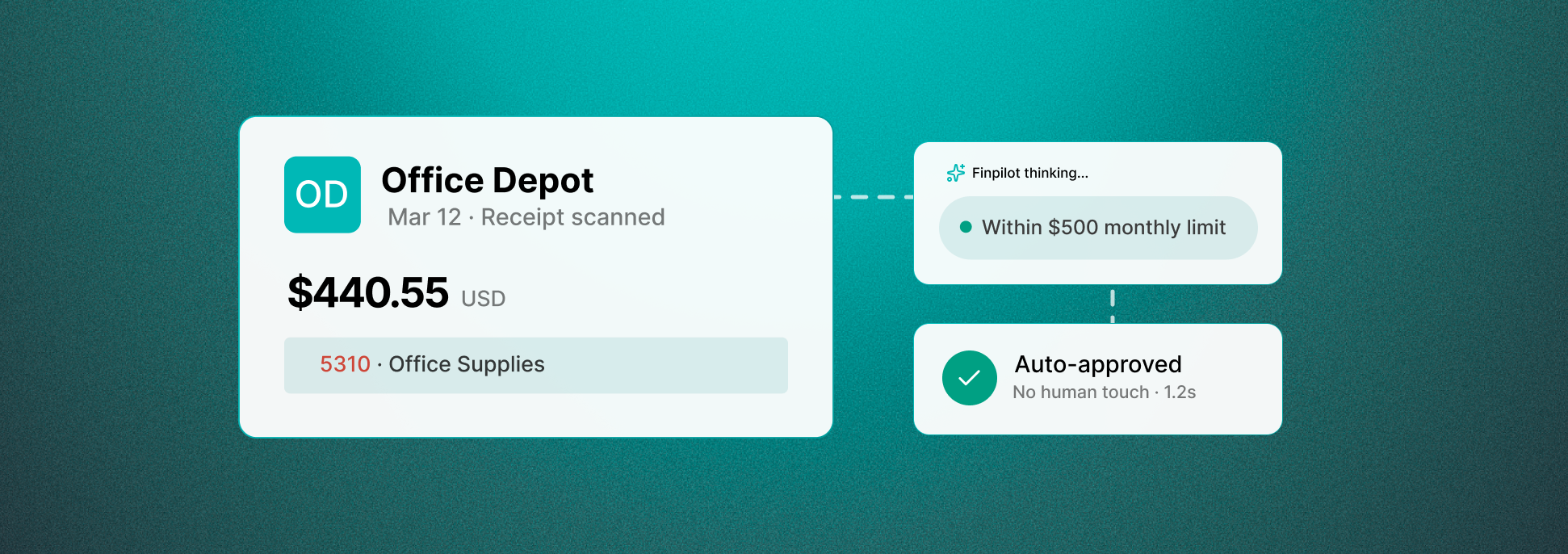
Expense agent
Auto-categorizes expenses, validates receipts, checks policy compliance, and routes approvals. Routine cases never need a human touch.
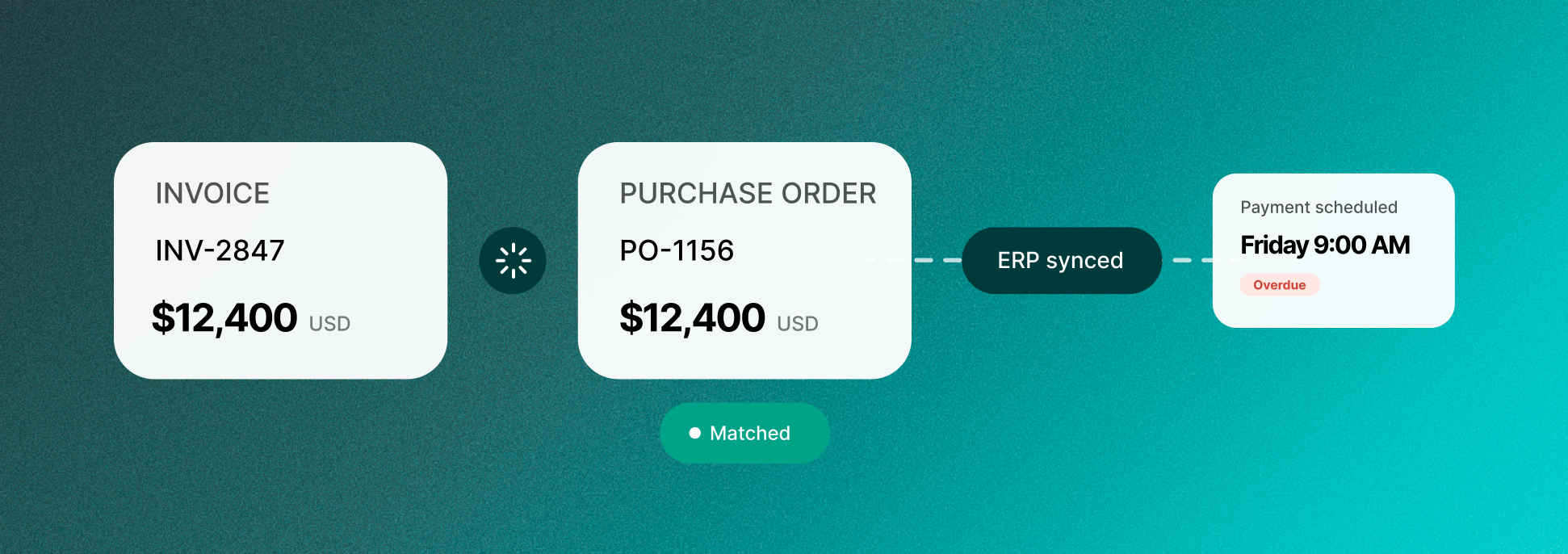
AP Agent
Matches invoices to POs, flags discrepancies, schedules payments based on cash flow optimization, and syncs to your accounting system.
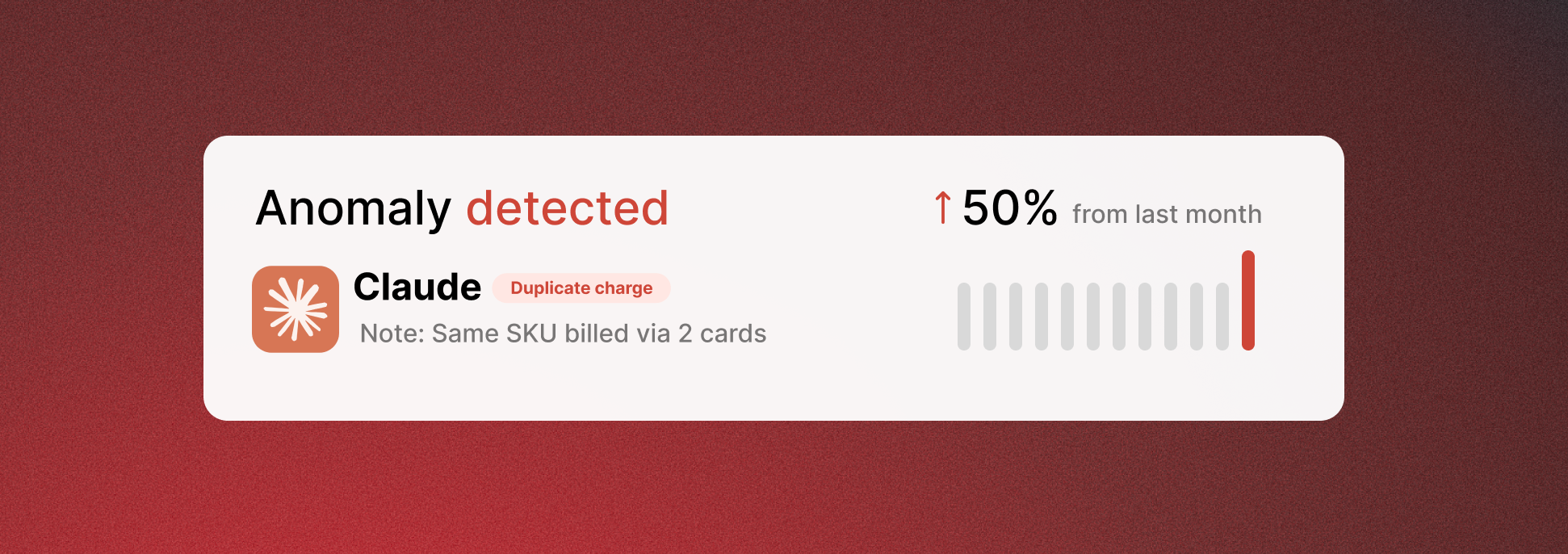
Analytics Agent
Forecasts budget needs, detects duplicate transactions, and surfaces real-time savings opportunities before the month closes.
Policy Agent
Enforces spending policies in real-time, prevents unauthorized transactions before they happen, and maintains a complete audit trail.
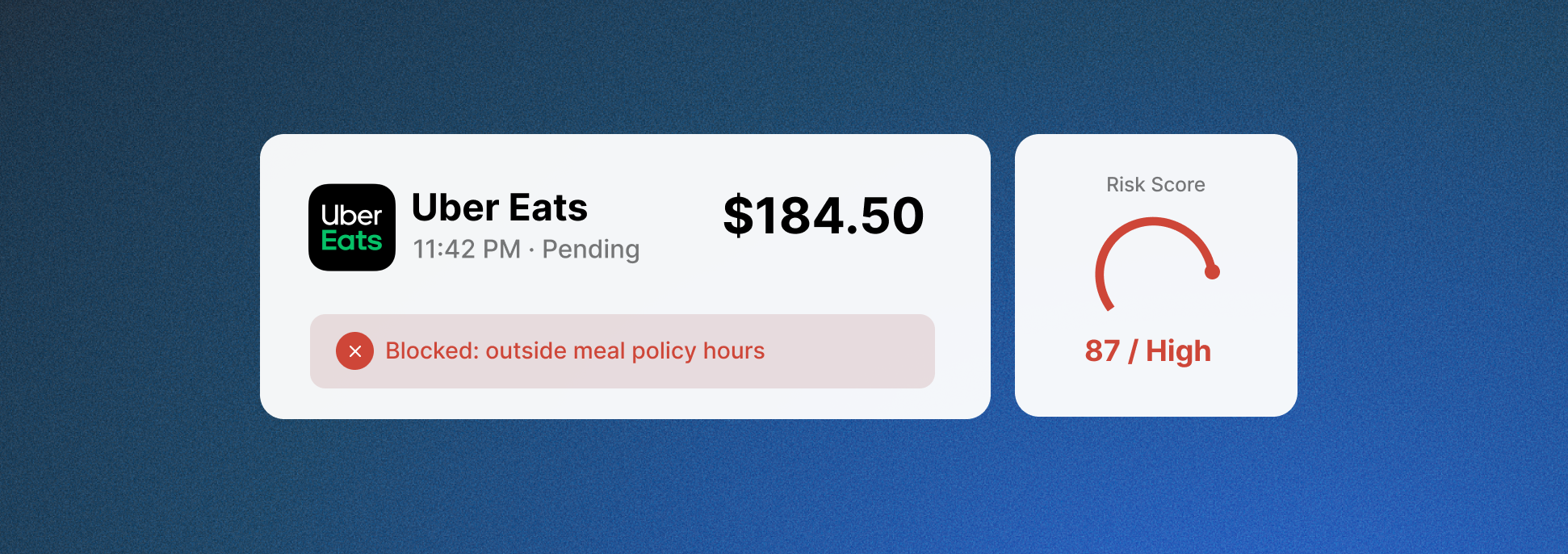
Stop waiting for people to categorize, review, or approve spend. Let AI agents do it instantly, based on your policies and with total transparency.
Nobody wakes up wanting to file expense reports. TERA's Expense Agent reads receipts, categorizes transactions, checks policy compliance, and routes approvals — with zero human touch for routine cases. Your team only sees the exceptions.

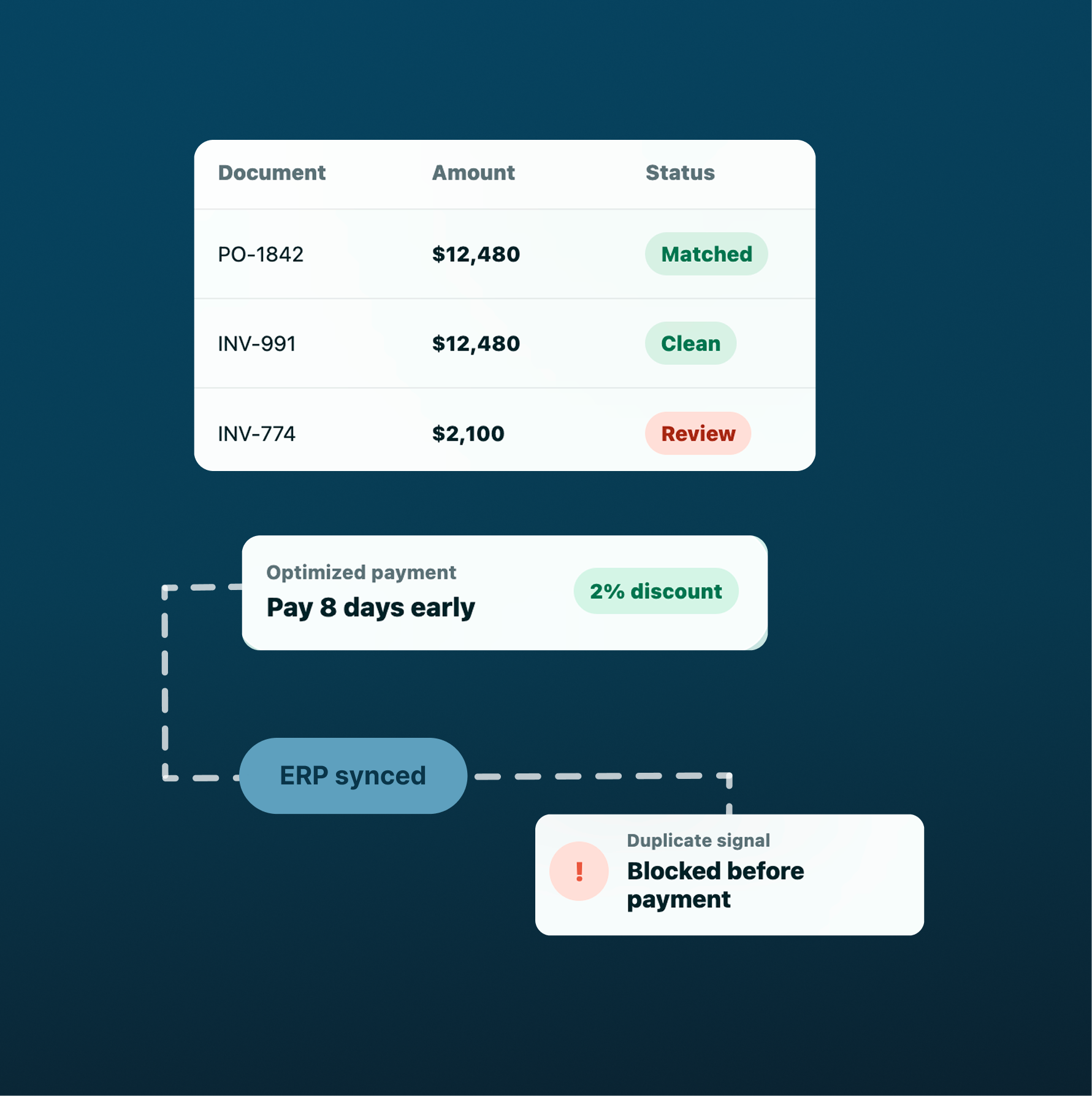
Upload your vendor contracts and SOPs. TERA's AP Agent matches invoices to POs, flags discrepancies before they become disputes, optimizes payment timing to capture early-pay discounts, and syncs everything to your accounting system — no manual entry required.
Ask "How much did we spend on SaaS last quarter?" and get an instant report. Set your policies once — the Policy Agent enforces them at the moment of submission, not in a monthly review. Anomalies are caught before they compound.
.png)
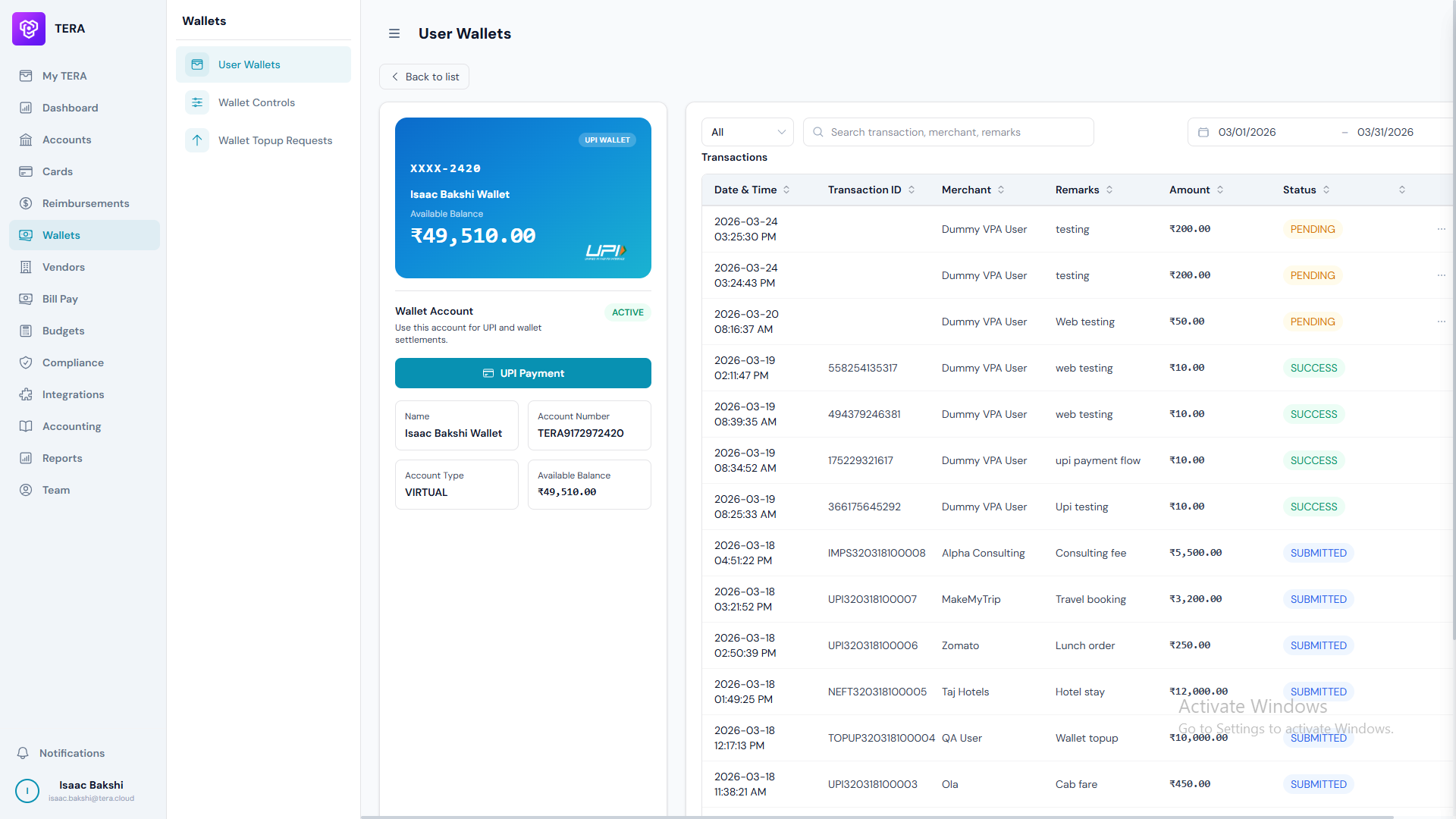
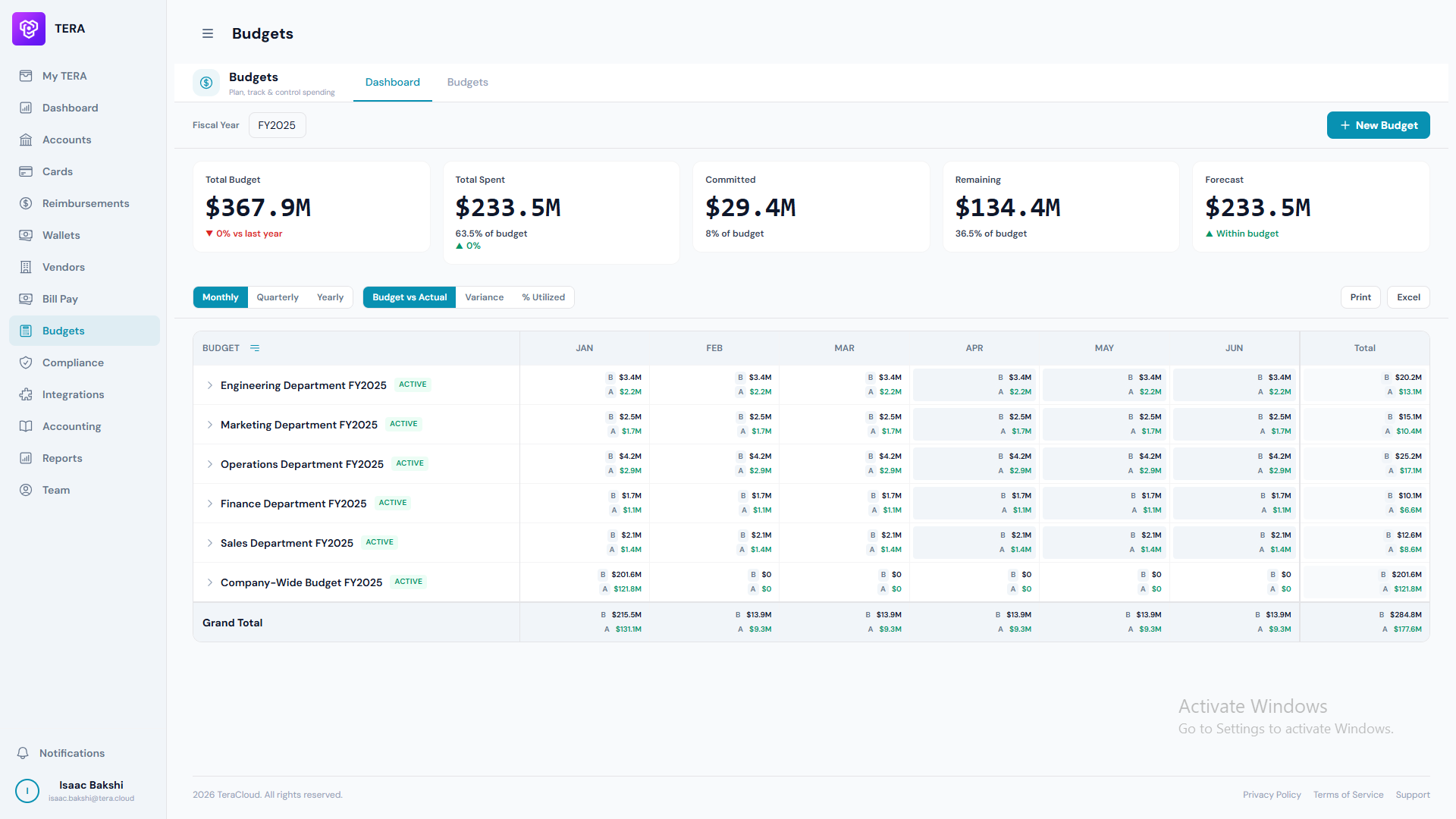

Upload your expense policy and edit it anytime, and agents will enforce your rules everywhere.
Let agents chase down context and approve in-policy expenses. They'll escalate anything risky.
Agents monitor spend 24/7 and catch anomalies or abuse to stop fraud before it costs you.

“With Tera, we’ve seen significantly improved efficiency across our spend processes. Manual data entries have been reduced, saving countless hours each week. It has brought much-needed visibility and control at every level.”

"Since adopting Tera’s UPI Wallet solution in 2023, we’ve seen a remarkable reduction in our operational spend, cutting down from ₹4 crores to ₹2.5 crores. The solution has helped us streamline payments and control cash leaks, providing greater transparency and accountability in our financial processes. Tera has truly transformed how we manage expenses across our hospital."

"With Tera, Wheelocity has achieved significant time savings, with our finance team saving an average of 15-20 hours per week. The streamlined processes and automated features have drastically reduced manual tasks, allowing our team to focus on more strategic activities. Tera has brought efficiency and precision to our financial operations."

"Since implementing Tera at our manufacturing unit, Scoops has seen a 60% reduction in expense processing costs. Automation and streamlined workflows cut manual effort and errors, saving both time and money. Tera has boosted our efficiency and improved expense management."
Connect your ERP, import your expense policies, and issue your first card before the call ends.

The AI command center for finance.
Turning workflows into autonomous
action using agents.




Stop switching between tools. Just ask your AI assistant: 'What's pending my approval?', 'Top vendors by spend this quarter', 'Explain how this expense is coded'. The connector understands context and returns accurate, live data from your Tera workspace.
Fine-grained permission controls keep your data safe. Admin-managed scopes grant read-only access to transactions, analytics, and reports — with zero exposure to create/edit/delete operations. Every request is scoped to your tenant and identity.
Query trends, detect anomalies, and forecast spend in real-time. Access 290+ pre-built analytics reports across 36+ report types, or ask custom questions about your financial data.
Admin enables Tera MCP from Settings → Integrations → Tera MCP
→Choose which read-only scopes to expose: transactions, analytics, reports
→Copy MCP URL and add to claude.ai, Claude Desktop, or Claude Code
→Sign in with your Tera account and grant permission to connect
→Start querying your finance data in natural language
Every API call is scoped to your tenant. No cross-tenant data leakage. Your queries only access your data.
Zero create/edit/delete exposure. Queries can only read data. No risk of accidental modifications.
OAuth 2.1 authentication with short-lived tokens. Your login credentials are never exposed to external clients.
Only approved read-only tools are exposed. Admin controls which scopes and permissions are available.
Add the MCP Server connector directly to your Claude.ai account. Start asking questions immediately.
Install Claude Desktop app and configure the MCP server in config.json for local access.
Use Claude Code in the terminal or IDE. Connect Tera MCP for developer-friendly access.
Tera MCP is fully compatible with any MCP-compatible client. Use it wherever MCP is supported.
Connect Tera MCP in seconds. Start querying your finance data with natural language.
"Show me all expenses over ₹50,000 last month"
"List unpaid vendor bills from Acme Corp"
"Find all card transactions at Amazon in Q4 2025"
"Show wallet transactions to Spinny for the last 30 days"
"What's pending my approval?"
"Show the approval chain for invoice INV-12345"
"Who approved this expense? When?"
"Is this bill compliant with our travel policy?"
"Top 10 vendors by spend this quarter"
"Show monthly expense trend for 2026"
"What's my AP aging report?"
"Cash outflow forecast for next 12 weeks"
"Generate budget vs. actual spending report"
"Show policy compliance violations last month"
"Expense categorization breakdown by department"
"Audit trail for high-value transactions"